
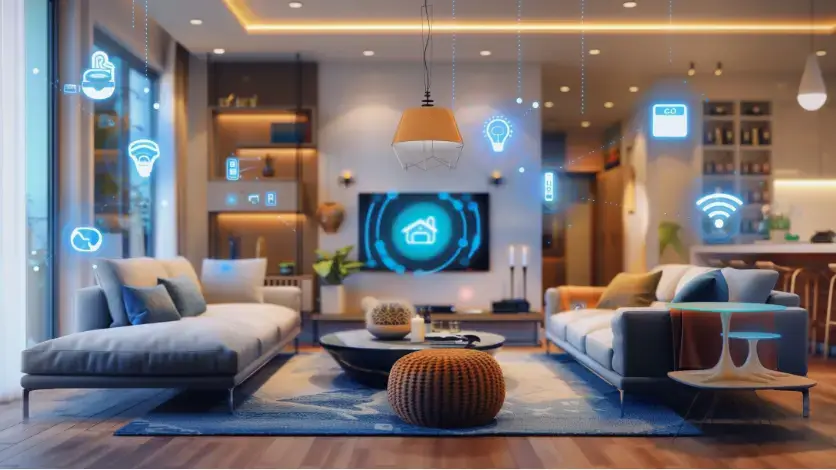
Smart home technology has changed the way homeowners interact with their homes. From controlling lights and thermostats from a phone to checking security cameras while away, connected devices can make everyday tasks easier. However, the terms smart home and home automation are often used as if they mean the same thing.
They are related, but there is an important difference.
A smart home generally refers to a home with connected devices that can be monitored or controlled remotely. Home automation goes a step further by connecting those devices and programming them to work together automatically based on specific conditions, schedules, or commands.
For Long Island homeowners, understanding this difference can make it easier to decide whether a few smart devices are enough or whether a professionally integrated home automation system makes more sense.
What Is a Smart Home?
A smart home uses internet-connected devices that provide remote control, monitoring, or additional functionality. These devices can typically be managed through a smartphone app, touchscreen, voice assistant, remote control, or another interface.
Common smart home devices include:
- Smart thermostats
- Video doorbells
- Security cameras
- Smart locks
- Smart lighting
- Motorized shades
- Smart televisions
- Wireless speakers
- Whole-home audio equipment
- Alarm systems
For example, a homeowner might install a smart thermostat and use a phone to change the temperature while away from home. A smart doorbell may send an alert when someone approaches the property, while a security camera can allow the homeowner to view what is happening remotely.
Each device can provide useful features on its own.
The challenge is that having several smart products does not necessarily mean the home is automated. If the thermostat, cameras, lights, shades, and entertainment equipment all require separate applications or controls, the homeowner may actually have more technology to manage.
That is where home automation becomes different.
What Is Home Automation?
Home automation connects multiple smart devices and systems so they can work together according to programmed rules, schedules, sensors, or specific conditions.
Instead of controlling each device separately, homeowners can create scenes and routines that perform several actions at the same time.
For example, an “Away” scene could:
- Turn off selected lights
- Adjust the thermostats
- Lock exterior doors
- Close motorized shades
- Turn off televisions and audio equipment
- Arm the security system
A “Good Night” scene could lower the temperature, turn off entertainment equipment, lock the doors, activate selected security devices, and leave only hallway or other designated night lighting on.
The homeowner does not need to control every device individually.
This coordination is one of the biggest differences between simply owning smart products and having a true home automation system.
Smart Home vs. Home Automation: The Main Difference
The simplest way to understand the difference is to think about control versus coordination.
A smart device is usually designed to give you more control over an individual product. Automation connects multiple products and allows them to respond together.
| Smart Home | Home Automation |
|---|---|
| Uses connected smart devices | Connects multiple systems together |
| Devices can often be controlled remotely | Devices can respond automatically |
| May require separate apps | Can provide centralized control |
| Usually reactive | Can be scheduled or condition-based |
| Focuses on individual devices | Focuses on the entire home |
| Often easy to start with a few devices | Usually requires more planning and programming |
A smart thermostat is a smart device. A thermostat that automatically changes settings based on occupancy, time of day, or a programmed home scene is part of a broader automation strategy.
Similarly, a motorized shade that you operate from your phone is a smart product. Shades that automatically adjust according to a schedule or work with lighting and climate-control scenes are part of home automation.
Smart Devices Require Commands. Automation Can Anticipate Your Needs.
Most basic smart devices wait for an instruction.
You open an application, press a button, or give a voice command. The device then performs the requested action.
Automation can reduce the number of commands you need to make.
For example, exterior lighting can be scheduled to turn on around sunset rather than requiring someone to remember to switch it on. Motorized shades can be programmed to respond at certain times of day. Climate settings can change according to occupancy or a schedule.
Entertainment can also become part of an automated scene.
Imagine coming home and selecting one “Home” command. The system could adjust the temperature, turn on selected lights, open shades, and prepare the entertainment system without requiring you to open multiple apps.
The purpose is not to automate every possible function. Good automation focuses on the routines that make the home easier and more comfortable to operate.
How Sensors Make Home Automation More Useful
Sensors are another important part of many automation systems.
A smart device may simply respond when you tell it what to do. A sensor can provide information that allows the system to respond to what is happening in the home.
Depending on the system, sensors may monitor:
- Motion or occupancy
- Temperature
- Door and window activity
- Light levels
- Water leaks
- Indoor air conditions
- Security events
For example, occupancy information can help determine whether certain areas of the home are being used. Temperature information can be used as part of climate-control routines. Door and window sensors can provide information that interacts with security or other home functions.
This allows automation to become more responsive instead of relying entirely on manual commands.
Why Networking Is Important to a Smart Home
A smart home is only as dependable as the infrastructure supporting it.
Many connected devices communicate through Wi-Fi or other wireless technologies. As the number of devices increases, the home’s network becomes increasingly important.
A large property may have multiple televisions, cameras, phones, tablets, computers, speakers, thermostats, lighting controls, and other connected equipment operating at the same time.
Weak Wi-Fi coverage or poorly planned networking can create frustrating problems such as:
- Devices disconnecting
- Slow response times
- Cameras failing to load reliably
- Smart controls becoming inconsistent
- Audio or video interruptions
- Difficulty communicating between devices
This is why professional smart-home design often includes more than selecting the right devices. Networking, structured cabling, equipment placement, and system organization can all affect how reliably the technology works.
Audio Video Long Island provides Wi-Fi solutions and structured cabling as part of its residential technology services, helping create the infrastructure needed for connected home systems.
Why Professional Integration Matters
Many homeowners start with individual smart devices. That can be a practical way to explore smart-home technology, particularly when only a few functions need to be controlled.
However, complexity can increase as more devices are added.
A homeowner might have one application for lighting, another for security cameras, another for the thermostat, another for music, and another for motorized shades. Some devices may work with voice assistants while others may require their own controls.
A professionally integrated system is designed around how the different technologies should work together.
Professional planning can address:
System Compatibility
Not every smart device communicates with every other device. Compatibility needs to be considered before purchasing equipment.
Network Infrastructure
Reliable Wi-Fi, structured cabling, network equipment, and proper equipment placement can make a significant difference in system performance.
Centralized Control
Instead of managing several unrelated applications, an integrated system can provide a simpler way to control multiple functions.
Programming
Automation scenes and routines need to be programmed around the homeowner’s actual habits. The best setup is not necessarily the one with the most automated functions; it is the one that makes frequently performed tasks easier.
Future Expansion
Technology changes over time. A properly planned system should leave room for additional devices, rooms, entertainment systems, security features, or other upgrades.
Smart Home Technology Can Include More Than Lighting and Thermostats
Smart-home discussions often focus on lights and thermostats, but modern integrated systems can cover many areas of a property.
Depending on the homeowner’s needs, a connected system may bring together:
Lighting: Control individual lights, groups of lights, or complete lighting scenes.
Climate: Manage thermostats and temperature settings based on schedules or other conditions.
Security: Connect cameras, alarms, locks, and other security components for easier monitoring and control.
Access: Smart locks and access-control technology can provide convenient ways to manage entry.
Audio: Whole-home audio can distribute music across multiple rooms while allowing different areas to be controlled independently.
Video: Televisions and media systems can become part of larger entertainment scenes.
Motorized Shades: Automated shades can be scheduled or incorporated into scenes alongside lighting and climate control.
Networking: A professionally planned network provides the foundation for many connected devices throughout the property.
Audio Video Long Island’s residential services include smart home solutions, whole-home audio, smart motorized shades, Wi-Fi solutions, structured cabling, security cameras, burglar alarm systems, home theaters, and other audio-video services.
What Is a Smart Home Scene?
A scene is a group of commands that are activated together.
Instead of controlling several devices individually, one command can trigger multiple actions.
For example, an “Entertain” scene could turn on selected lighting, start music in designated areas, adjust motorized shades, and prepare a television or media system.
A “Movie Night” scene could dim the lights, close the shades, turn on the television or projector, and activate the appropriate audio equipment.
A “Good Morning” scene might gradually increase selected lighting, adjust shades, and set the home’s climate to a preferred temperature.
Scenes are useful because they translate several individual controls into a simple action that matches how people actually use their homes.
What About Voice Control?
Voice control can be part of both smart homes and home automation systems.
A homeowner may use a voice assistant to turn on a light, adjust a thermostat, or control entertainment equipment. In a more integrated system, voice commands can also activate scenes involving several devices.
For example, instead of saying separate commands for the lights, shades, television, and audio system, a homeowner may use one command to activate an entire scene.
Voice control is therefore best viewed as one method of interacting with the system, rather than the definition of a smart home or home automation system.
Which Option Is Right for Your Home?
A basic smart-home setup may be enough if you only want to control a few individual devices.
For example, a smart thermostat, video doorbell, wireless speaker, or smart lighting system may provide everything you need.
Home automation becomes more useful when you want several systems to work together.
You may benefit from a more integrated system if you want:
- One interface for multiple home systems
- Customized lighting and entertainment scenes
- Automated routines based on schedules
- Occupancy-based responses
- Integrated security, lighting, climate, audio, and video
- Control across a larger property
- A system that can expand as your needs change
Large homes, new construction projects, major renovations, and properties with extensive entertainment or security requirements can particularly benefit from planning the technology before construction is complete.
However, existing homes can also be upgraded. The right approach depends on the home’s current wiring, network, equipment, layout, and the homeowner’s goals.
Is Home Automation Only for Luxury Homes?
Home automation is often associated with high-end properties, but automation can be scaled to different homes and different budgets.
A homeowner does not need to automate every system in the house.
For one property, automation may focus on lighting and climate control. Another homeowner may want a complete system that includes entertainment, security, networking, motorized shades, access control, and whole-home audio.
The important question is not how much technology can be installed. It is which technology will actually improve the way the household uses the home.
Smart Home or Home Automation: Which Is Better?
Neither option is automatically better for every homeowner.
A smart-home setup can be a practical choice when you want individual connected devices and remote access. It can also be a good starting point for homeowners who want to gradually add technology.
Home automation is a better fit when you want multiple systems to work together and perform routine actions automatically.
In other words:
Smart home = connected and controllable devices.
Home automation = connected devices working together according to programmed rules, schedules, conditions, or scenes.
The two concepts can also overlap. A professionally designed home automation system may use many smart devices, but the value comes from how those devices are integrated and programmed as a complete system.
A Better Smart-Home Experience Starts With the Right Design
Adding more smart devices does not automatically make a home smarter. Without proper planning, homeowners can end up with more apps, more controls, and more potential points of failure.
A well-designed system should make technology easier to use rather than making the home more complicated.
The process starts with understanding how the homeowner uses the property. From there, the system can be planned around networking, entertainment, lighting, climate, security, access, motorized shades, and other priorities.
Audio Video Long Island provides smart-home and audio-video solutions designed around residential and commercial spaces. Its residential services include smart home systems, whole-home audio, Wi-Fi solutions, smart motorized shades, security cameras, structured cabling, home theaters, and other integrated technology solutions.
For homeowners considering a new smart-home setup or looking to bring several existing systems together, professional planning can help create a system that is easier to control today and ready to expand in the future.
Smart Home and Home Automation in Long Island
If you are considering smart-home technology for your Long Island property, start by identifying the tasks you want to make easier. You may want better control over lighting, climate, security, entertainment, audio, video, or multiple systems at once.
Audio Video Long Island can help design and integrate technology around those needs, from individual smart-home solutions to broader home automation projects.
Contact Audio Video Long Island to schedule a consultation and learn how an integrated smart-home and home automation system can make your Long Island home easier to control, more comfortable, and more enjoyable.