
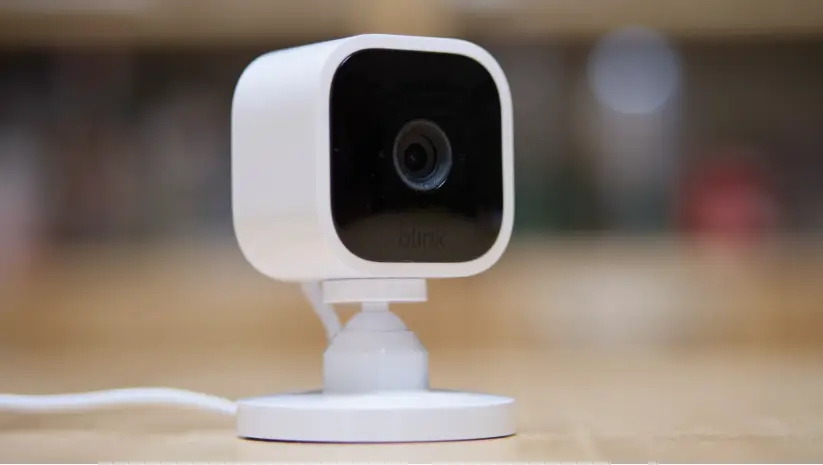
Choosing the right security cameras for your property is more than just picking a brand; it’s about understanding the differences between wired and wireless systems, the pros and cons of each, and which setup will give you the best coverage, reliability, and peace of mind.
1. What is a Wired Security Camera?
A wired security camera connects directly to a power source and your monitoring system using cables. These cameras are trusted for reliability, high-quality video, and continuous monitoring.
Pros:
- Stable connection with no signal interruptions
- High-resolution video capabilities
- Ideal for large properties or multi-camera setups
Cons:
- Professional installation often required
- Limited flexibility in placement
- Higher upfront installation cost
Best Fit:
Wired cameras are perfect if you need a robust, always-on security solution for your home or business.
2. What is a Wireless Security Camera?
Wireless cameras transmit video and audio over Wi-Fi or other wireless protocols. They are easy to install and highly flexible, making them a popular choice for homes and smaller properties.
Pros:
- Quick installation, no cables needed
- Flexible camera placement
- Expandable system
Cons:
- Dependent on Wi-Fi signal quality
- Battery-powered models need recharging
- May experience interference from other devices
Best Fit:
Wireless cameras work best for renters, small properties, or areas where running cables is difficult.
3. Types of Wireless Cameras
- Battery-Powered Cameras: Flexible placement but need battery maintenance.
- Wi-Fi Cameras: Connect to your network, stream live video remotely.
- Hybrid Cameras: Can work wired or wirelessly for maximum flexibility.
4. Cost Comparison: Wired vs Wireless
| Feature | Wired Cameras | Wireless Cameras |
|---|---|---|
| Installation | Higher cost, professional required | Lower cost, DIY-friendly |
| Hardware | Often more durable | May be less durable |
| Maintenance | Minimal | Battery replacement/charging |
| Long-Term Reliability | Very high | Medium, depends on Wi-Fi |
Key Insight: If you want long-term reliability and minimal troubleshooting, wired is often worth the investment. Wireless is great for budget-friendly or temporary setups.
5. Data Security & Connection Reliability
- Wired cameras: Offer a stable, secure connection, less prone to hacking or interference.
- Wireless cameras: Convenient but can be vulnerable to Wi-Fi issues and signal interruptions.
6. Continuous vs Passive Monitoring
- Continuous Monitoring: Wired cameras can stream 24/7 without relying on battery life.
- Passive/On-Demand Monitoring: Wireless cameras often record on motion detection to save power.
7. Property Type & Flexibility
- Large properties, commercial spaces: Wired cameras are more reliable.
- Small homes, rental units, flexible setups: Wireless cameras are more practical.
8. Choosing the Best Security Cameras
When deciding between wired and wireless, consider:
- Property size and layout
- Desired video quality and resolution
- Installation preferences (DIY vs professional)
- Budget and long-term maintenance
Pro Tip: Many modern systems combine the best of both worlds with hybrid options.
9. Professional Installation Matters
Installing security cameras correctly ensures maximum coverage, functionality, and peace of mind. Our Camera Installation services help you set up wired or wireless cameras efficiently, so you don’t have to guess about placement or connectivity.
10. Bottom Line: Wired or Wireless?
| Feature | Recommendation |
|---|---|
| Reliability & Stability | Wired |
| Easy Installation & Flexibility | Wireless |
| Cost-Effective, Small Setup | Wireless |
| High-Resolution, Large Setup | Wired |
Both systems have advantages — it all depends on your security needs, property, and budget.
11. FAQ
Q1: Can I mix wired and wireless cameras?
Yes! Hybrid setups offer flexibility and reliability.
Q2: Do wireless cameras require Wi-Fi?
Most do, unless they are battery-powered with local storage.
Q3: Are wired cameras better for businesses?
Usually, yes — because they provide continuous monitoring and higher video quality.
Q4: How do I maintain my cameras?
Check battery levels (wireless), clean lenses, and verify connections regularly.