Professional video conferencing is no longer optional—clients, vendors, and teams expect clear audio, sharp video, and reliable one-touch meeting starts. If you’re planning a conference room AV upgrade, three of the most common platforms businesses compare are Logitech Rally, Poly (formerly Polycom), and Yealink.
In this guide, we compare Logitech Rally Bar, Poly Studio X series / Poly G7500, and Yealink MeetingBar series—with practical pros/cons so you can choose the best solution for your boardroom, huddle room, or executive conference space.
Quick Answer: Which Conference Room system is best?
Best “set it and forget it” for most conference rooms: Logitech Rally Bar (strong AI framing + easy platform support)
Best for premium meeting experience + enterprise audio control: Poly Studio X series (DirectorAI + NoiseBlockAI/Acoustic Fence)
Best value for Teams Rooms / Zoom Rooms deployments: Yealink MeetingBar series (strong camera options, flexible “appliance” or USB mode)
Audio pickup and noise control
Conference rooms fail when people can’t be heard. Look for:
strong microphone arrays and expansion mics
echo cancellation
noise suppression and voice isolation
Camera framing and meeting equity
Modern systems use AI to auto-frame speakers and participants to improve hybrid meetings:
speaker framing / group framing
multi-camera modes or dual-lens systems
auto-tracking that doesn’t “hunt” or over-zoom
Platform compatibility
Most businesses standardize on:
Microsoft Teams Rooms
Zoom Rooms
Google Meet (sometimes)
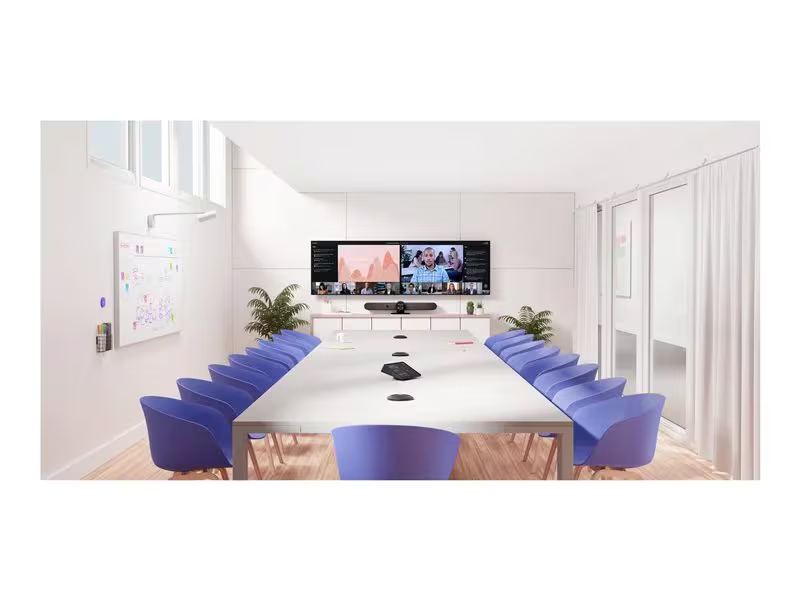
Logitech Rally (Rally Bar / Rally Bar Mini): Pros & Cons
Pros
• RightSight (AI framing): auto-frames people and active speakers for more natural meetings
• RightSound: helps separate speech from background noise and manages voice levels
• Clean ecosystem: pairs well with Logitech room controllers and management tools (great for multi-room deployments)
Cons
• Best results depend on room acoustics and correct placement (glass walls + open ceilings may need extra tuning)
• Some rooms still benefit from additional mics/speakers depending on size and layout
Best for
• Conference rooms where you want reliable meetings with minimal user training
• Businesses that want standardized rooms across multiple office
Poly (Polycom) systems: Pros & Cons
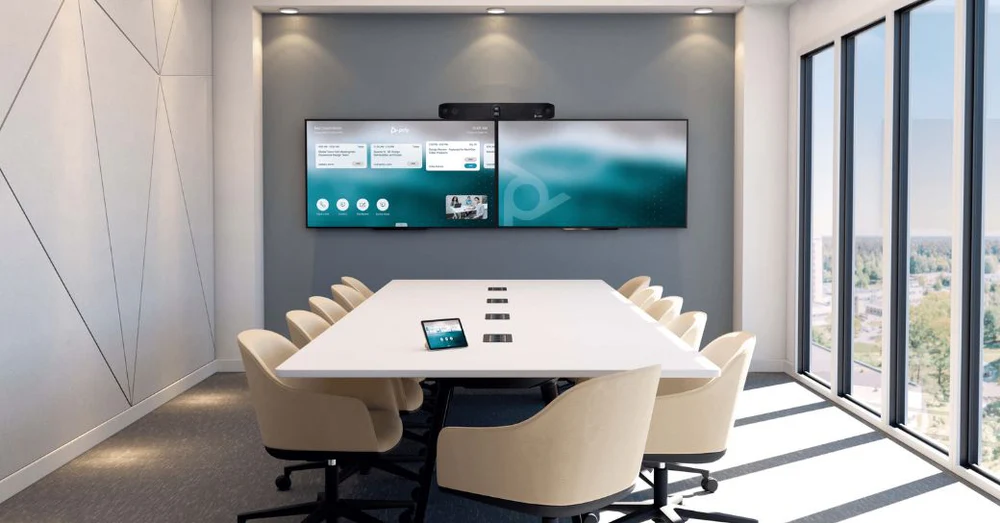
Poly Studio X series (X52 / X70 / etc.) – Pros
DirectorAI smart camera framing (speaker and group framing.
NoiseBlockAI and Acoustic Fence help reduce distractions and limit “who is heard”
Strong choice for teams that want a premium all-in-one bar experience
Poly Studio X series – Cons
Larger rooms may still require expansion mics and careful design
Premium models can be higher investment vs. value-focused options
Best for
Executive conference rooms / boardrooms
Businesses that want strong noise control and a premium meeting “feel”
Yealink MeetingBar series: Pros & Cons
Yealink has become a go-to option for Teams Rooms and Zoom Rooms with a range of bars for small-to-medium spaces.
Pros
Strong all-in-one approach for smaller spaces (simple deployment)
Models include advanced camera setups (ex: MeetingBar A30 has dual-eye design with 4K + wide FOV)
Flexible operation modes (appliance approach or USB mode depending on model)
Cons
Feature differences vary heavily by model—choosing the right bar for the room matters
Some environments still require additional microphones for ideal pickup
Best for
Small and medium conference rooms, especially Teams/Zoom standardization

Side-by-side comparison what clients care about most
| Category | Logitech Rally | Poly (Studio X / G7500) | Yealink (MeetingBar) |
|---|---|---|---|
| Best for | Standardized rooms | Premium rooms + boardrooms | Value + Teams/Zoom deployments |
| AI framing | RightSight / Grid View | DirectorAI | Model-dependent AI camera |
| Noise control | RightSound | NoiseBlockAI + Acoustic Fence | Model-dependent |
| Room types | Huddle to medium/large | Medium to boardroom | Huddle to medium |
| Deployment | Easy, scalable | Easy (X series) / advanced (G7500) | Easy, especially in Teams/Zoom |
| Expandability | Good with ecosystem | Highest (especially modular) | Good, varies by model |
Which system should your business choose?
Choose Logitech Rally if…
You want a consistent, easy experience across multiple rooms
You value AI framing and simple meeting starts
Choose Poly if…
You want premium noise control and strong camera intelligence
You need either an all-in-one bar (Studio X) or a modular boardroom architecture (G7500)
Choose Yealink if…
You’re building Teams Rooms / Zoom Rooms at a strong price-to-performance ratio
You need a modern bar solution for small-to-medium spaces